ITA Smart Training Needs Analysis
Free training needs analysis tool: link organisational objectives, role profiles and employee assessments, prioritise competence gaps and build an individual development plan for every employee, with PDF and Excel.

Training budgets are often spent on the courses people ask for, not on the gaps that matter most to the job and the business. A training needs analysis starts from what the organisation must achieve and what each role requires, then compares it with what each person can do today. This tool does that analysis and turns it into a development plan for every employee.
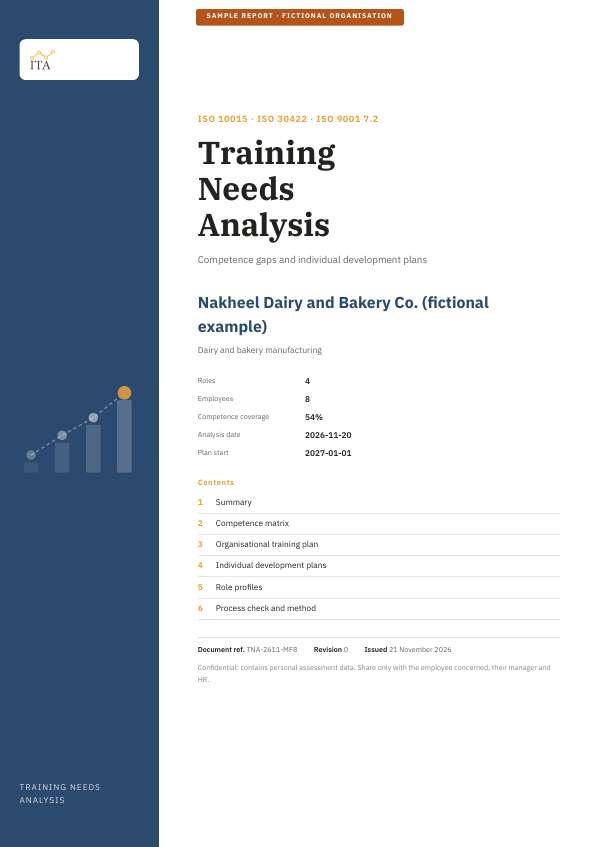
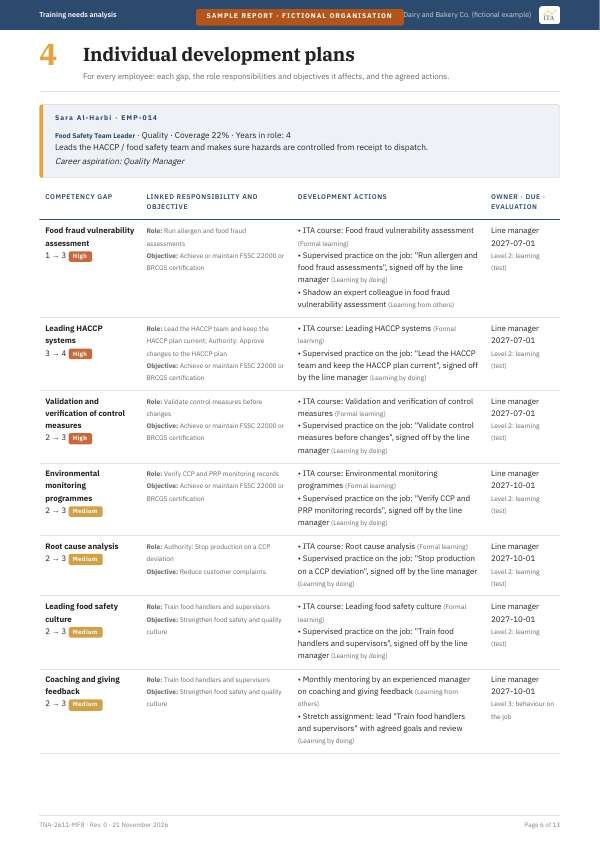
See the report this tool produces
Training needs analysis for a fictional food manufacturer with eight employees in four roles: summary against the organisation's objectives, the competence matrix, the organisational training plan, an individual development plan for every employee linking each gap to the responsibilities, tasks and authorities of the role, the role profiles and the process check.
Use the tool below, then press "Download report (PDF)" to get the same report with your own data. The sample uses fictional data.
Compare what each role requires with what each person can do today, prioritise the gaps by how critical they are to the role and to your organisation's objectives, and get an individual development plan for every employee that links each gap to the responsibilities, tasks and authorities of the job.
- 1Set the organisation's objectives
- 2Describe the roles: scope, tasks, authorities, requirements
- 3Assess each employee against the role
- 4See the prioritised gaps
- 5Build a development plan for every employee
- 6Get the training plan and check the process
Free, no registration. Employee data stays on your device. Download a PDF report and an Excel workbook with live formulas, or save your work to a file and continue later.
Loading the training needs analysis tool…
How the tool works
- Set the organisation’s objectives. Choose from 14 common objectives, such as passing certification audits, reducing customer complaints or improving safety, or write your own. Set the priority, measure and target of each. The competencies that support each objective are linked automatically, and you can change them.
- Describe the roles. Start from 12 ready role profiles, such as quality manager, food safety team leader, production supervisor, production operator and purchasing officer, or create your own. Each profile holds the scope of responsibility, key tasks, authorities, education, experience and certificates, and the competencies the role needs, each with a required level from 1 to 4 and a criticality. Link each competency to the tasks and authorities that need it.
- Assess each employee. Choose the employee’s role and rate the current level in each required competency, based on evidence such as observation, tests, appraisal or records. For mandatory certificates, such as food hygiene, first aid or forklift licences, record whether they are valid, expired or missing.
- See the prioritised gaps. A competence matrix for each role, the overall competence coverage and the competencies most needed across the organisation. Priority combines the size of the gap, its criticality for the role and how many objectives depend on it; a missing or expired mandatory certificate is always critical.
- Build a plan for every employee. For each gap the tool shows which responsibilities, tasks, authorities and objectives it affects, and suggests actions that mix learning on the job, learning from others and formal training, with ITA courses where they fit, an owner, a due date set by priority and an evaluation level. Edit, add or remove actions and track their status.
- Get the training plan and check the process. The gaps are grouped by competency into an organisational training plan with a suggested format, such as an in-house group course when several people share a gap. Twelve checks against ISO 9001, ISO 10015, ISO 30422 and good practice.
- Download. Enter your email to download the report as a PDF and an Excel workbook with live formulas, in Arabic or English. Employee names and ratings stay on your device. Save your work to a file and continue later.
What the plan for each employee contains
- The role, department, scope of responsibility and current competence coverage.
- Each gap: the competency, the current and required level, its priority and any certificate issue.
- Why it matters: the tasks and authorities of the role that need the competency, and the organisational objectives it supports.
- The development actions, the method (on the job, from others or formal), the ITA course where one fits, the owner, the due date and how the result will be evaluated.
The method and references
- ISO 9001 clause 7.2, Competence: the organisation determines the competence needed by people whose work affects performance, makes sure they are competent on the basis of education, training or experience, takes action to close gaps, evaluates whether the action worked and keeps evidence. ISO 14001, ISO 45001 and ISO 22000 have a similar clause.
- ISO 10015:2019: guidelines for competence management and people development in a quality management system: determining the competence needed, analysing gaps, planning and carrying out development, and evaluating the results.
- ISO 30422:2022: guidelines for learning and development in human resource management: aligning learning with organisational goals, analysing needs, designing and delivering learning and evaluating it.
- Three levels of analysis: organisation, task and person, as described by McGehee and Thayer (1961), the basis of most training needs analysis models.
- 70-20-10: most development comes from experience on the job, then from other people, then from formal training. The tool uses this mix to suggest actions.
- Kirkpatrick’s four levels: reaction, learning, behaviour and results, used to set how each action will be evaluated.
Related: Corporate training, the KPI Calculator and the Gap Assessment Tool.
Frequently asked questions
What is a training needs analysis?
A structured way to find the difference between the competence a job requires and the competence a person has, and to decide which gaps to close first and how. It looks at three levels: the organisation’s objectives, the requirements of each role and each person’s current level.
Is training always the answer to a gap?
No. Many gaps close faster with practice on the job, coaching or a stretch assignment than with a course. Some are not competence problems at all, such as unclear procedures or missing equipment. The tool suggests a mix and you decide.
How should we rate current levels?
Base each rating on evidence: observing the person at work, a practical test, records, appraisal results or a certificate. Agree the rating with the line manager, and with the employee where you can. Avoid rating from memory alone.
How often should the analysis be repeated?
At least once a year, and whenever objectives, roles, processes, equipment or legal requirements change, or after an incident or audit finding that points to a competence gap.
Is employee data sent to ITA?
No. Names, ratings and plans stay in your browser. When you download a file we record only your email, name, organisation and totals such as the number of gaps, so that we can send you the course news you agreed to receive. See our privacy notice.
Can ITA deliver the training?
Yes. ITA delivers accredited and in-house courses in quality, food safety, environment, health and safety and auditing, in Arabic and English. Contact us with your training plan.